


Run Microsoft Outlook
คลิกเลือก File [มุมบนซ้ายมือ]
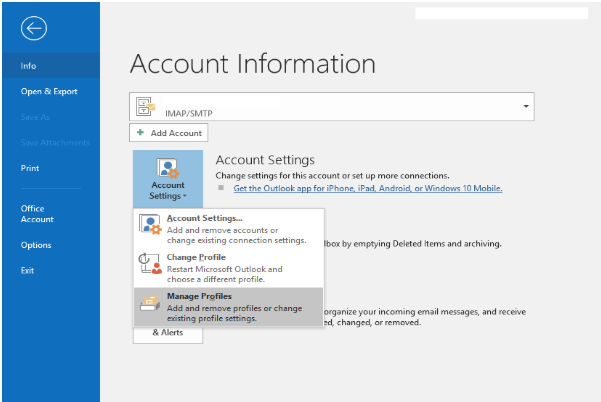
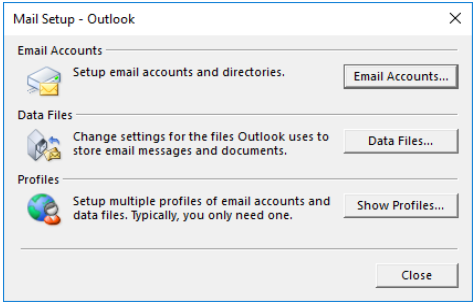
คลิกเลือก Email Account
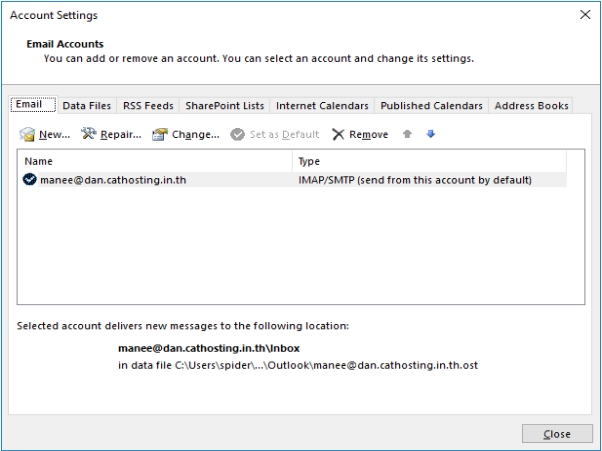
ดับเบิ้ลคลิก Your-Account
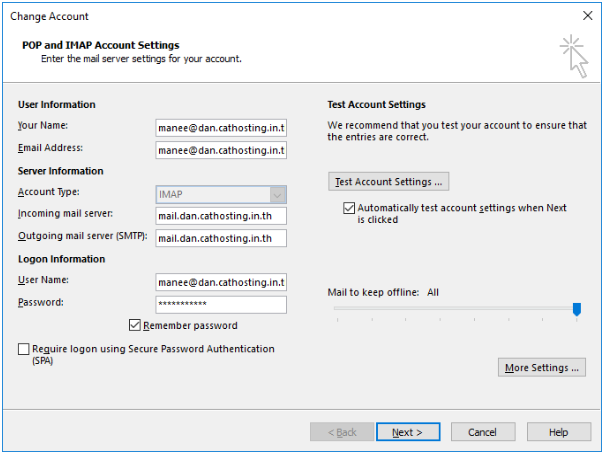
คลิกปุ่ม More settings…
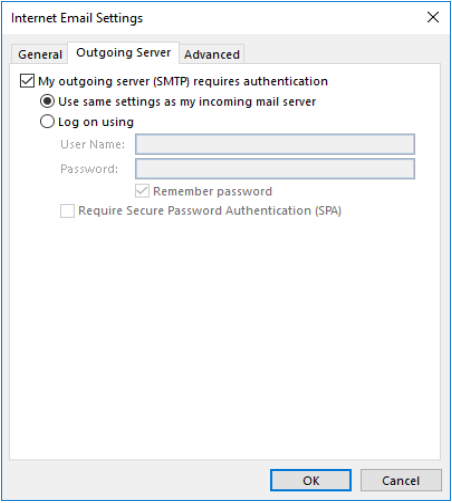
Tab bar Outgoing server
ติ๊กเลือก My outgoing server (SMTP) requires authentication
use same settings as my incoming mail server
Tab bar Advance
Outlook 2016 ตั้งค่า port เริ่มต้น ดังนี้
| Incoming server (IMAP): | 993 |
| Use the following type of encrypted connection: | SSL/TLS |
| Outgoing server (SMTP): | 465 |
| Use the following type of encrypted connection: | SSL/TLS |
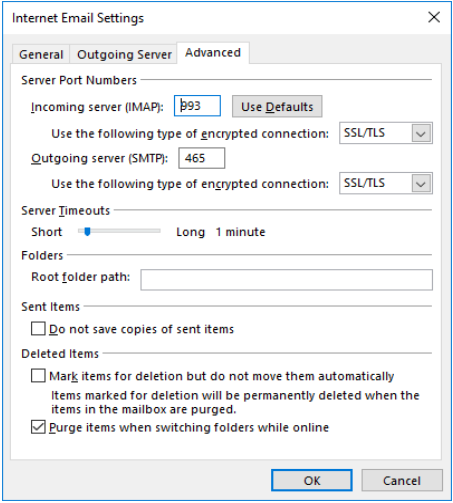
Note: ผู้ใช้งานไม่ควรเปลี่ยน Port Incoming หรือ Outgoing เนื่องด้วย Outlook 2016 [office365] จะมีความปลอดภัยสูงกว่าเวอร์ชั่นที่ผ่านๆมา หากมีการแก้ไข Port Incoming หรือ Outgoing จะต้องเลือกในส่วนของ type of encrypted connection ให้ถูกต้องด้วย ซึ่งหากเลือกไม่ถูกต้องจะมี Message error ส่งเข้าไปในระบบเมล์จำนวนมาก ส่งผลให้ Mail server Block IP [Public] ของลูกค้าได้
ตัวอย่างที่ไม่เหมาะสม (ไม่สามารถซิงค์ข้อมูล)
SMTP port:25 type of encrypted:SSL/TLS
SMTP port:587 type of encrypted:SSL/TLS